
eLook Mobile Cam4.0.0 - Get APK
You'll be able to download in few seconds.
Publisher Description
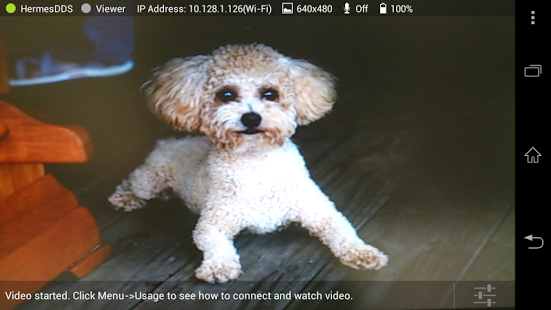
■ Introduction ■
Use your smartphone as an network camera (IPCAM), transmit video from your smartphone to your friend and family. Connection through Internet with UniSVR’s HermesDDS Service (currently free trial) (Note 1)
■ Special Notice ■
This APP has upgraded to v4.0, please also upgrade "eLook Viewer" APP to v4.0. Older version of viewer is not compatible
The Spanish, Japanese, and Simplified Chinese edition is not supported in this version, whether to add them back will depend on market demand. We are deeply sorry for any inconvenience that might be caused
■ Installation Requirements ■
eLook Viewer (Android APP for video viewing; recommended): Android 4.0 and / or above; Resolution 480x800 and / or above
Hercules Viewer (Windows software for video viewing; optional): Windows XP sp2 and / or above; 1G Memory DRAM
UniArgus Video Central / Windows Edition (Windows software for video recording; optional): Windows XP sp2 and / or above; 1G Memory DRAM; 2G Disk Space
UniArgus Video Central / Android Edition (Android software for video recording; optional): contact us for more information
■ Recommended Installation Steps ■
Standard Application (two smartphones required)
1. Install eLook Mobile Cam on the 1st smartphone, and register your HermesDDS account and device according to the in-app tutorials
2. Install eLook Viewer on the 2nd smartphone, and register your HermesDDS account according to the in-app tutorials
3. Run eLook Mobile Cam on the 1st smartphone, start the live video
4. Run eLook Viewer on the 2nd smartphone, select the 1st smartphone from the device list, then watch your interesting real-time video!
Advanced application (smartphones for video recording; a computer for video storage)
If you want to store videos on your personal computer, install UniArgus Video Central (contact us for evaluation copy) on it. This software can view and record real-time videos taken from up to 4 smartphones simultaneously
■ Introductions to the Developer ■
UniSVR Global Information Technology Corporation is located in HsinChu Science Park, Taiwan. It is a professional company with more than ten years of practical experience of large-scale video surveillance
Note 1: Please be aware that fees might be incurred for mobile data transmission. You could contact your service provider for more details
About eLook Mobile Cam
The company that develops eLook Mobile Cam is UniSVR. The latest version released by its developer is 4.0.0.
To install eLook Mobile Cam on your Android device, just click the green Continue To App button above to start the installation process. The app is listed on our website since 2016-11-01 and was downloaded 0 times. We have already checked if the download link is safe, however for your own protection we recommend that you scan the downloaded app with your antivirus. Your antivirus may detect the eLook Mobile Cam as malware as malware if the download link to unisvr.HerculesGW is broken.
How to install eLook Mobile Cam on your Android device:
- Click on the Continue To App button on our website. This will redirect you to Google Play.
- Once the eLook Mobile Cam is shown in the Google Play listing of your Android device, you can start its download and installation. Tap on the Install button located below the search bar and to the right of the app icon.
- A pop-up window with the permissions required by eLook Mobile Cam will be shown. Click on Accept to continue the process.
- eLook Mobile Cam will be downloaded onto your device, displaying a progress. Once the download completes, the installation will start and you'll get a notification after the installation is finished.
Program Details
System requirements
Download information
Pricing
Version History
version 4.0.0
posted on 2016-11-01
Welcome to the latest version 4.0! This version has new user interface and works with HermesDDS 4.0 cloud service.
v4.0 2016/11/2 - New user interface, work with HermesDDS 4.0 cloud service
v3.11 2015/4/10 - fix start up issue in Android 5.0
v3.1, 2015/3/20 - update to work with HermesDDS Service v3.1
v3.0, 2014/5/12 - Add a Background Mode
v2.0.7, 2013/11/15 - Improve video quality in mobile network
version 3.1.1
posted on 2015-04-09
Welcome to the latest version 3.0! This version enables you to run Apps while eLook Mobile Cam is run in the background and taking videos continuously.,v3.11 2015/4/10 - fix start up issue in Android 5.0,v3.1, 2015/3/20 - update to work with HermesDDS Service v3.1,v3.0, 2014/5/12 - Add a Background Mode,v2.0.7, 2013/11/15 - Improve video quality in mobile network,v2.0.6, 2013/10/21 - Add authentication by Facebook,v2.0.5, 2013/9/13 - Add posting snapshot to Facebook
version 2.0.3
posted on 2013-06-20
Several fixes and updates
Disclaimer
External Download
We do not host eLook Mobile Cam on our servers. We did not scan it for viruses, adware, spyware or other type of malware. This app is hosted by Galad and passed their terms and conditions to be listed there. We recommend caution when installing it.
The APK Download link for eLook Mobile Cam is provided to you by apps112.com without any warranties, representations or guarantees of any kind, so access it at your own risk.
If you have questions regarding this particular app contact the publisher directly. For questions about the functionalities of apps112.com contact us.
